💻 Installation
Downloading and installing the files
Download Blender from the Blender.org page or if you prefer from their Steam page.
Download the Base Building for Blender add-on from the No Man’s Sky Nexus Modding page.
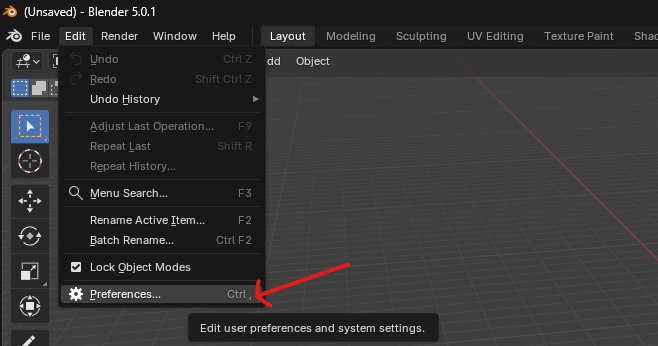
After downloading the files listed above and you have Blender installed, launch Blender and navigate to Edit=>Preferences then select the Get Extensions tab.
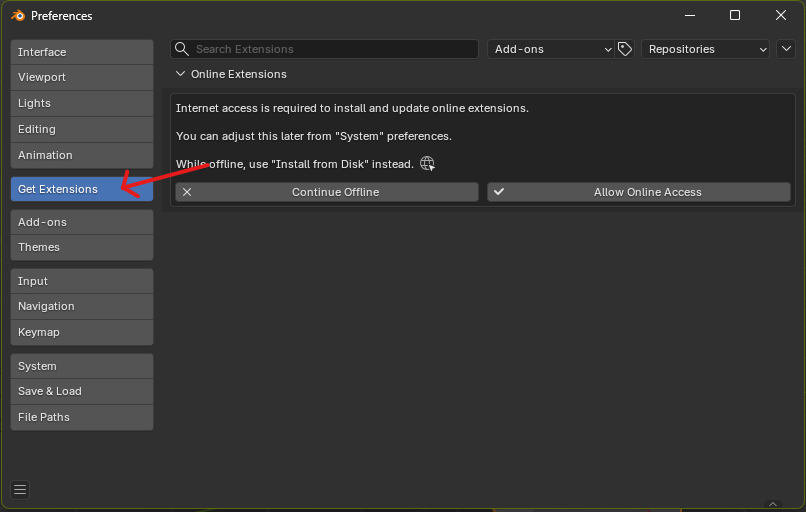
From the top right corner of the window select the small down arrow icon and select Install from Disk...
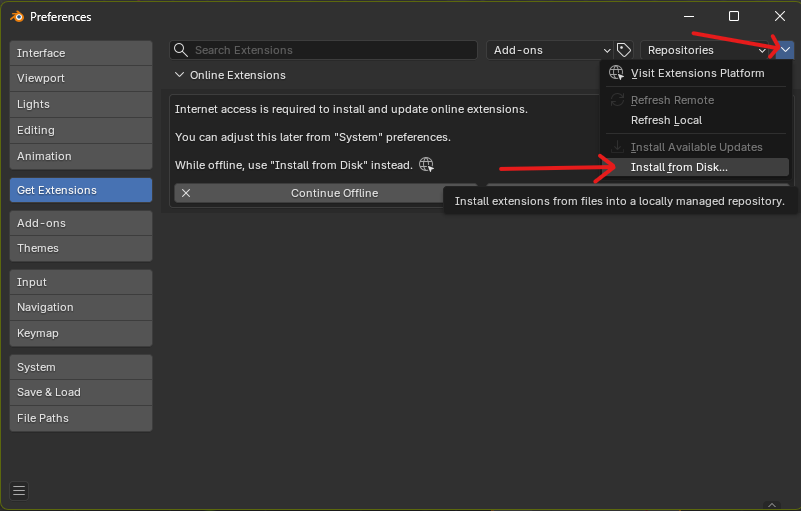
From the file browser, navigate to the base builder zip (No Mans Sky Base Builder-####.zip) that was downloaded from the Nexus page.
If successful, it will appear at the top of the Installed list. You can then see the tool by accessing it by expanding the right side panel in the Blender viewport.
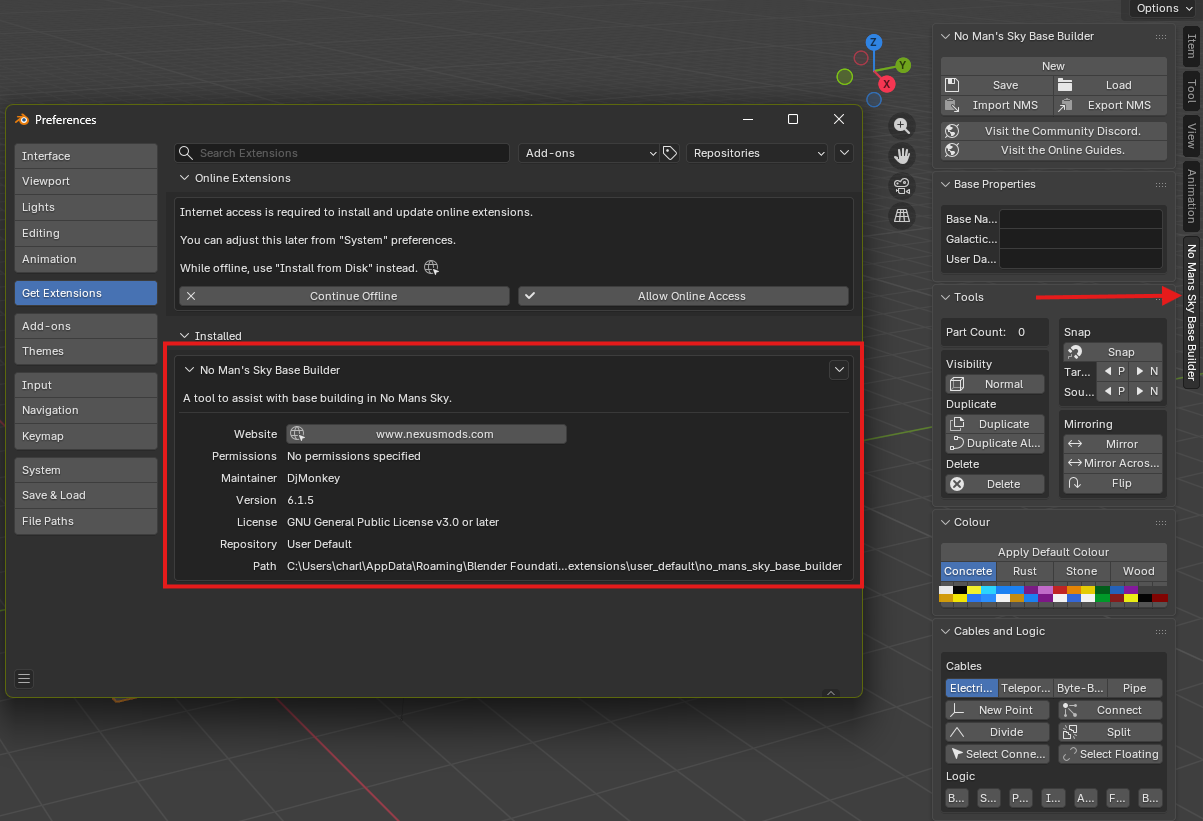
You can then read the Importing from No Man’s Sky page to learn how to bring in your bases/corvettes.
Launching the Asset Browser
The asset browser is a dedicated window that lives alongside Blender designed to make it easier to view and search the many parts available in No Mans Sky. It is designed to mimic the same building menus and categories in-game.
To load the asset browser, click on the Launch Asset Browser... button from the side bar tools. When you click it for the first time it may take a minute or so to load. This is because there are some Blender and Python files that need to be configured before it can work. This is an automated process and is only done once. Loading the asset browser after the initial load should be fast.
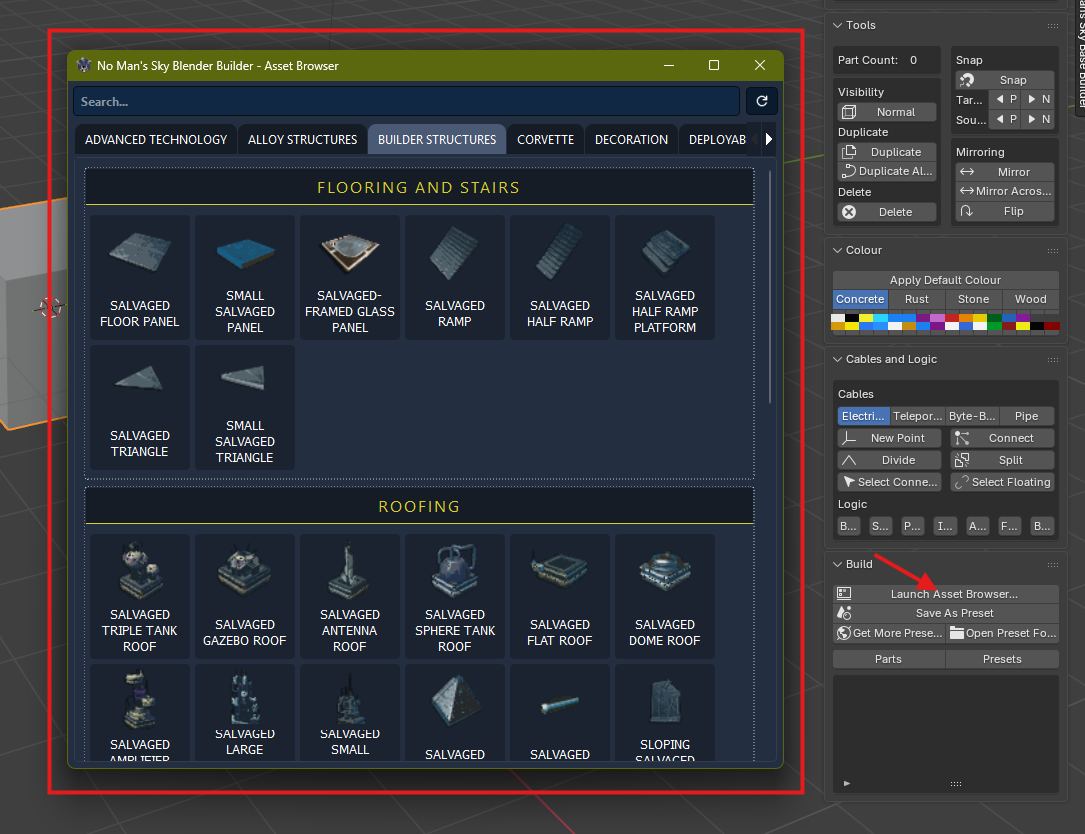
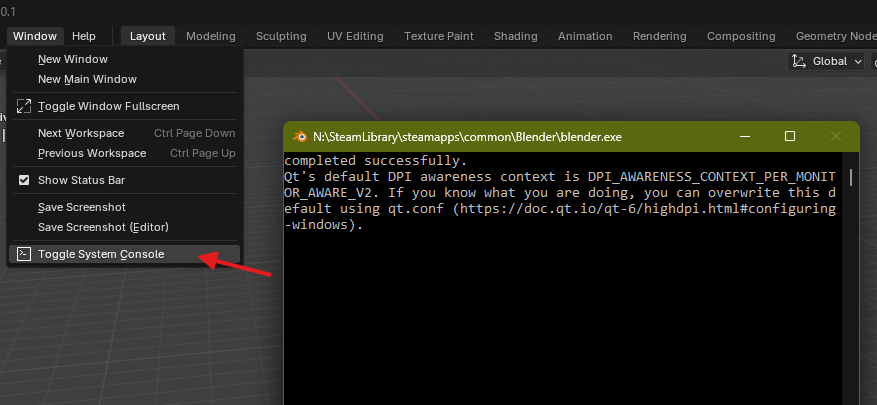
If you are still running into issues loading the Asset Browser, you can help debug the problem by selected
Window > Toggle System Consoleand try again. The console will print out any errors. If you find any, please visit the Discord or reach out on social media for me to investigate.